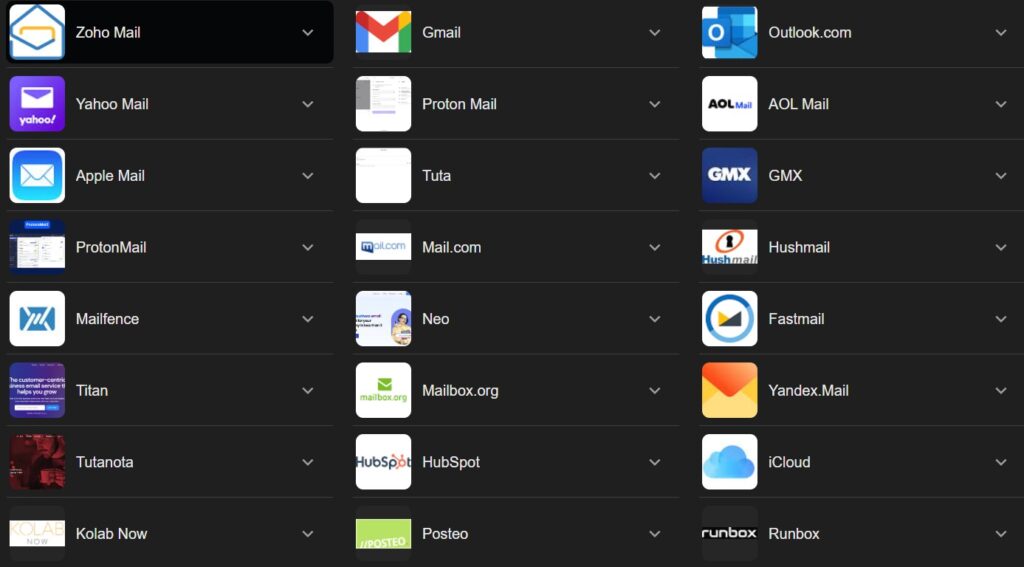
In an increasingly digital world, email remains the cornerstone of online communication, serving as our primary identifier for everything from personal correspondence to online shopping and professional networking. With so many options available, choosing the right email service provider can feel overwhelming. While personal preference plays a huge role, understanding the features, pros, and cons of the most popular providers can help you make an informed decision.
Here’s a deep dive into the top contenders dominating the email landscape:
1. Gmail (Google)
Overview: Launched in 2004, Gmail quickly revolutionized email with its massive storage (for the time) and integrated search capabilities. Today, it’s the undisputed leader, known for its powerful features, intelligent organization, and seamless integration with Google’s vast ecosystem of services.
Key Features:
- Large free storage (15 GB shared across Google Drive and Photos).
- Advanced spam filtering and security features.
- Smart Reply and Smart Compose for faster writing.
- Tabbed inbox (Primary, Social, Promotions, Updates, Forums) for automatic organization.
- Seamless integration with Google Calendar, Docs, Meet, and more.
- Robust mobile apps for iOS and Android.
Pros:
- Excellent user interface and highly intuitive.
- Powerful search functionality.
- Strong security measures and AI-powered spam detection.
- Extensive integration with productivity tools.
- Widely accessible and reliable.
Cons:
- Privacy concerns due to Google’s data collection for targeted ads (though they no longer scan emails for this purpose, data from other Google services is used).
- The numerous features can feel overwhelming for some users.
- Ads appear in the “Promotions” tab.
Best for: General users, power users, students, professionals, and anyone deeply integrated into the Google ecosystem.
2. Outlook.com (Microsoft)
Overview: Formerly known as Hotmail, Outlook.com is Microsoft’s answer to Gmail. It’s lauded for its clean, professional interface and strong integration with Microsoft Office applications and services.
Key Features:
- Clean and intuitive design.
- Integration with Microsoft 365 apps (Word, Excel, PowerPoint, OneNote) and OneDrive cloud storage.
- “Focused Inbox” to separate important emails from less important ones.
- Built-in calendar, contacts, and task management.
- Robust security features, including advanced phishing protection.
Pros:
- Excellent for users of Microsoft Office products.
- Professional appearance and user experience.
- Strong security and spam filters.
- Good for managing multiple email accounts.
Cons:
- Free storage is less generous than Gmail (5 GB).
- Can feel less feature-rich or innovative compared to Gmail’s AI-driven tools.
- Some users find the web interface less responsive than competitors.
Best for: Professionals, businesses, students, and anyone heavily reliant on the Microsoft Office suite.
3. Yahoo Mail
Overview: One of the internet’s original email services, Yahoo Mail has a long history and still boasts a significant user base. It’s known for its massive free storage and customizable interface.
Key Features:
- Generous free storage (1 TB).
- Customizable themes and layouts.
- Integrated news feed and calendar.
- Disposable email addresses for online sign-ups (premium feature).
- Robust search capabilities for conversations and attachments.
Pros:
- Massive storage capacity.
- Highly customizable interface.
- Easy-to-use for basic email needs.
Cons:
- History of security breaches impacting user trust.
- Can be cluttered with ads.
- Less advanced features and integration compared to Gmail or Outlook.
- Interface can feel dated to some.
Best for: Casual users, individuals needing vast storage for older emails, and those who appreciate a personalized layout.
4. iCloud Mail (Apple)
Overview: Integrated seamlessly into the Apple ecosystem, iCloud Mail provides a clean, ad-free email experience for users of Apple devices (iPhone, iPad, Mac).
Key Features:
- Ad-free interface.
- Automatic integration with Apple’s Mail app on all devices.
- Focus on user privacy (as per Apple’s general philosophy).
- Storage is tied to your iCloud storage plan (5 GB free, expandable with paid plans).
- “Hide My Email” feature for enhanced privacy (part of iCloud+).
Pros:
- Seamless integration across all Apple devices.
- Clean, minimalist, and ad-free experience.
- Strong focus on user privacy.
- Easy setup for Apple users.
Cons:
- Primarily designed for Apple device users; less convenient for non-Apple platforms.
- Limited free storage, which is shared with photos and backups.
- Fewer advanced features compared to Gmail or Outlook.
Best for: Apple device owners who value simplicity, privacy, and full ecosystem integration.
5. Proton Mail
Overview: Hailing from Switzerland, Proton Mail is a highly secure and privacy-focused email service known for its end-to-end encryption. It’s built for users who prioritize anonymity and data security above all else.
Key Features:
- End-to-end encryption for emails between Proton Mail users.
- Zero-access encryption (Proton Mail cannot read your emails).
- Based in Switzerland, benefiting from strong privacy laws.
- Open-source code for transparency.
- Encrypted calendar and cloud storage (Proton Drive, Proton Calendar included).
- Anonymous sign-up option.
Pros:
- Unparalleled security and privacy.
- No logging of IP addresses.
- Ad-free experience.
- Commitment to open source and transparency.
Cons:
- Free tier has significant limitations (storage, number of messages per day, features).
- Less integration with popular third-party services.
- Can be slower or less convenient than mainstream providers due to encryption overhead.
- Interface is functional but less feature-rich than others.
Best for: Privacy advocates, journalists, activists, individuals handling sensitive information, and anyone who wants maximum security for their communications.
6. Zoho Mail
Overview: Zoho Mail is part of the larger Zoho Suite of business applications, offering a clean, ad-free email experience that’s particularly strong for small businesses and professionals looking for custom domain support.
Key Features:
- Ad-free experience, even on the free tier.
- Support for custom domain email addresses (e.g., yourname@yourcompany.com).
- Integrated calendar, tasks, notes, and contacts.
- Strong security features.
- Part of a comprehensive suite of business tools (CRM, office suite, etc.).
Pros:
- Ad-free and professional interface.
- Excellent for small businesses and teams with custom domains.
- Good value for paid plans with more features.
- Strong focus on privacy (no data scanning).
Cons:
- Free storage is limited (5 GB).
- Less well-known for personal use outside of a business context.
- Interface might feel less intuitive for some compared to consumer-focused services.
Best for: Small businesses, freelancers, professionals, and users who want an ad-free email with custom domain support.
Choosing the Right Provider for You: Key Considerations
When deciding which email service is best, consider the following:
- Privacy & Security: How important is data encryption, ad-free experience, and a strong privacy policy to you?
- Storage: How much space do you need for your emails and attachments?
- User Interface & Ease of Use: Do you prefer a minimalist design or one rich with features? Is it intuitive for you?
- Integration: How well does the email service work with your other apps and devices (e.g., cloud storage, calendar, office suites)?
- Features: Do you need advanced spam filtering, smart organization, custom domains, or specific productivity tools?
- Cost: Are you looking for a free service, or are you willing to pay for more storage, features, or enhanced privacy?
- Device Compatibility: Does it have strong mobile apps and work well on your preferred devices?
Conclusion:
While providers like Gmail and Outlook lead in sheer popularity due to their extensive features and ecosystem integration, the “best” email service is ultimately a personal choice. Whether you prioritize massive storage, uncompromised privacy, seamless Apple integration, or a business-centric solution, the diverse landscape of popular email providers offers a perfect fit for nearly every need. Take the time to consider your priorities, and you’ll find an inbox experience that truly works for you.
Another Popular email service providers